
Convert Handwritten Notes to Text Using OCR Technology
Even though the world has gone digital, handwritten notes are still commonly used by students, professionals, and researchers. Writing by hand can be a convenient way to capture ideas, lecture points, or meeting notes. However, managing these notes is difficult, especially when you need to search, edit, or organize them.
To make handwritten notes easily manageable, they need to be converted into a digital format. This is where OCR technology comes in. Today, there are several OCR-based online tools and apps that you can use to convert scanned handwritten pages into text.
In this blog, we’ll explore how to convert handwritten notes into digital text through OCR-powered solutions.
What Is OCR Technology?
OCR (Optical Character Recognition) is an advanced technology that converts scanned documents, non-editable PDF files, and images with text embedded on them into machine-readable text. It removes the hassles of manual typing and makes the text extraction from images and documents simpler.
To convert an image to text, OCR technology scans the shapes of characters, letters, and numbers embedded in images and matches them to characters in digital alphabets. Then, it turns handwritten or printed content of images into editable text.
How to Convert Handwritten Notes into Text Using OCR Technology?
There are multiple ways through which you can convert handwritten notes into digital text using OCR technology. But before using any method, you first need to take a picture of the handwritten notes that you want to convert into digital text. You can do so easily with your device’s camera.
1. Using OCR-based Image to Text Converter
Several OCR-based image-to-text tools available on the market can convert scanned handwritten notes into text. You need to pick a reliable tool. When finding the best image-to-text conversion tool, you should ensure it is:
- Fast and accurate
- Simple to use
- Capable of performing batch processing
Image to Text Converter is one such tool that offers all the above-mentioned features. So, here we’ll convert handwritten notes to text using this tool.
Steps to Convert Handwritten Notes into Text via Image to Text Converter
Step 1: Access the image to text converter online
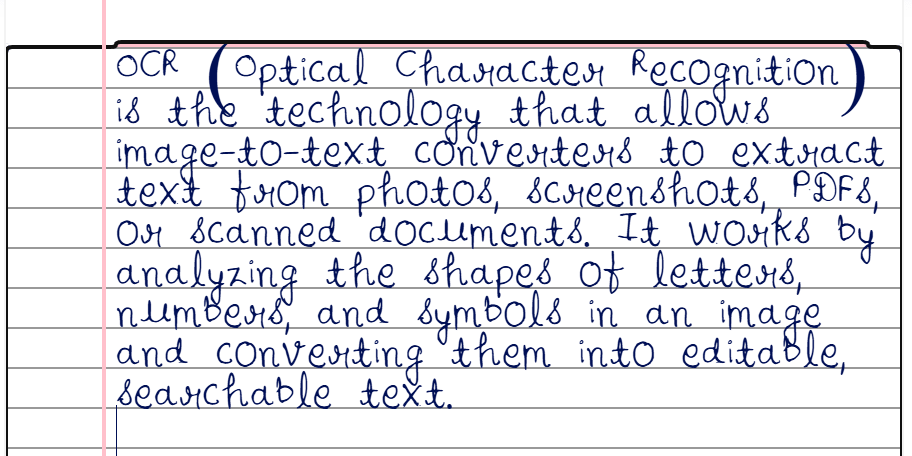
Step 2: Insert the picture of your handwritten notes into the Image to Text Converter.
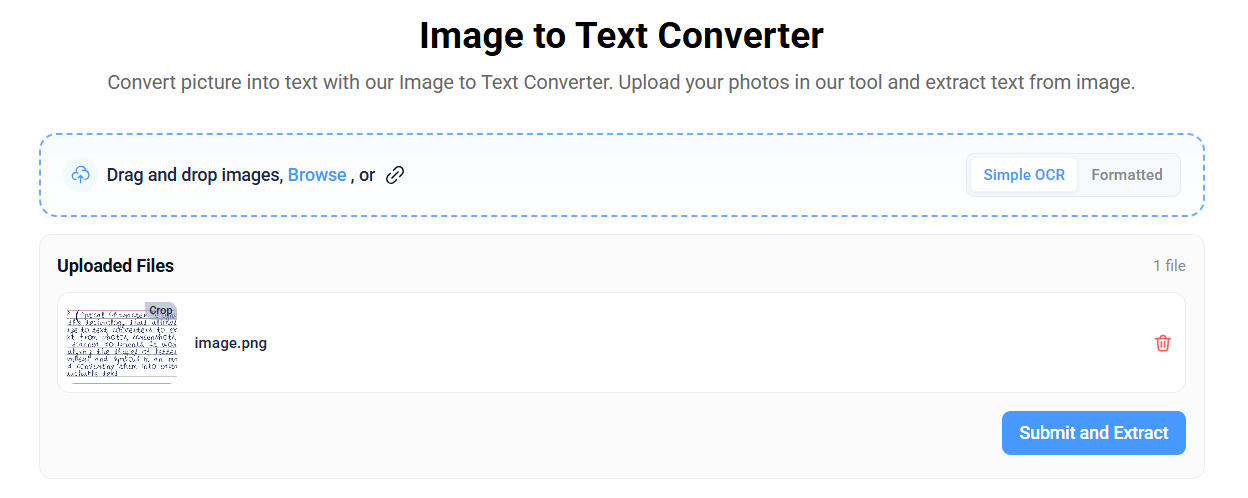
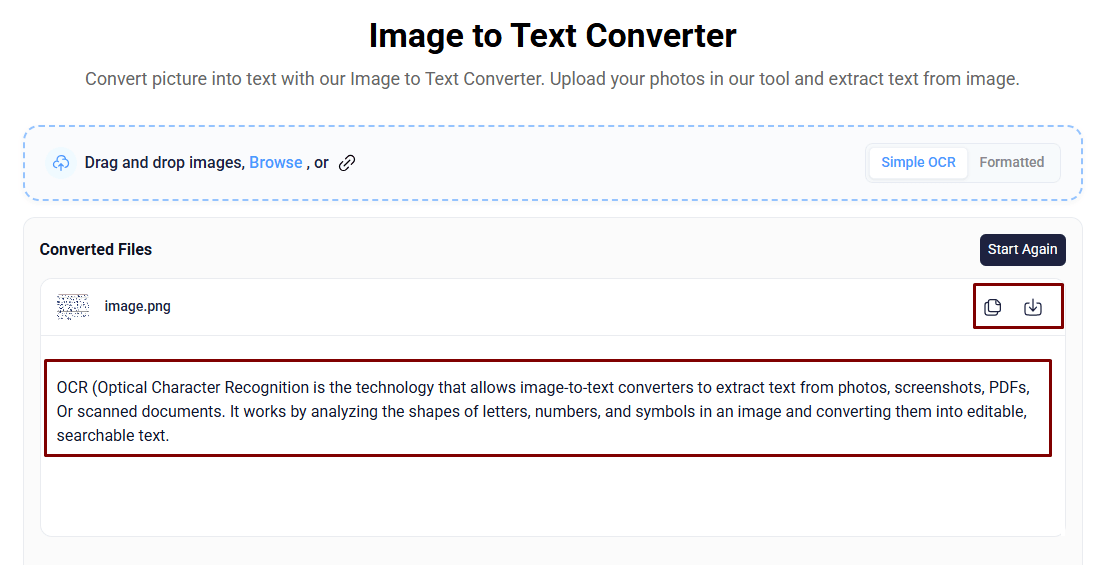
Step 3: Press the “Submit and Extract” button to start. The tool will quickly convert handwritten note images into text you can copy and download.
2. Using Google Lens
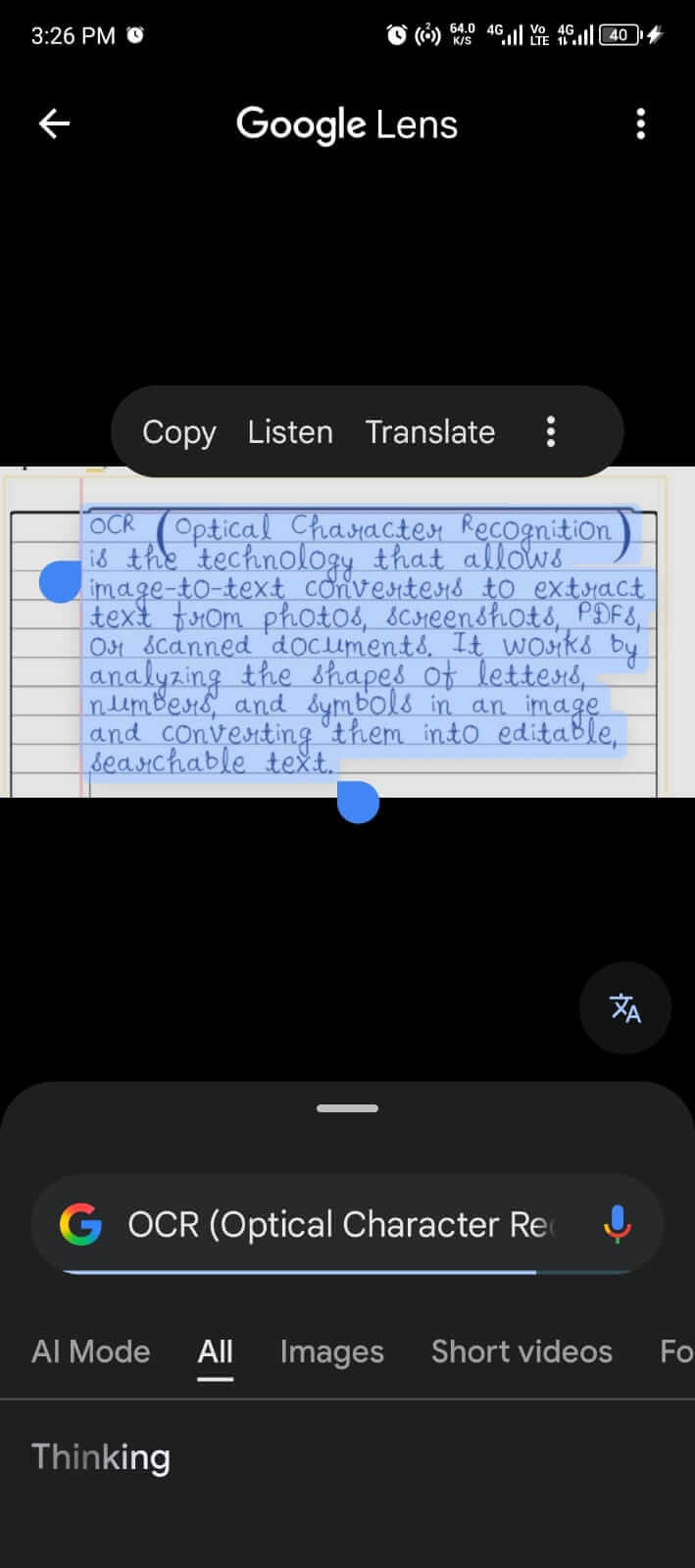
Google Lens is an online application that uses OCR technology to scan and extract text from images, handwritten notes, and documents.
Quick Steps to Extract Text from Handwritten Notes via Google Lens:
Step 1: Go to the Google search bar, and you’ll see a camera icon (Google Lens) in the search field.
Step 2: Tap the icon to open the handwritten notes image in the app, or scan them directly with the camera.
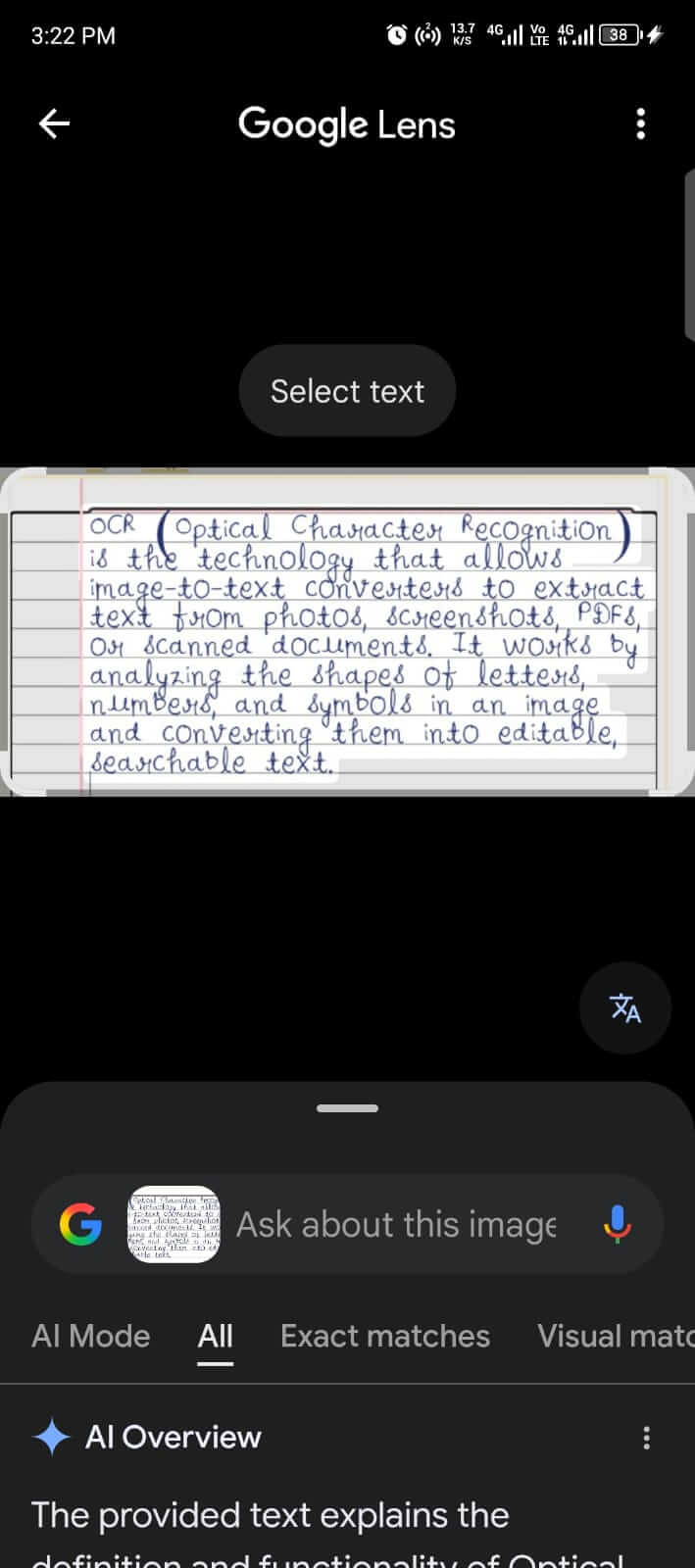
Step 3: Hit the “Select Text” button, and copy it.
3. Using Offline OCR Software
If you are looking for an offline method to extract handwritten text from notes, then offline OCR software is also available. One prominent software in this scenario is FreeOCR. It is a Windows-based software that uses OCR technology to extract editable text from the photos of handwritten notes.
Steps to Extract Text Using FreeOCR
1st Step: Download and install the FreeOCR software on your device here.
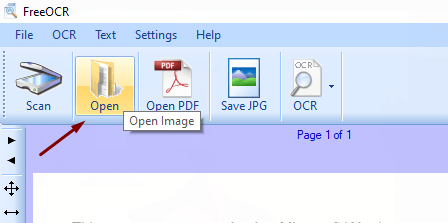
2nd Step: Open the software after installation. Click the “Open” button in the top menu and open the image of your handwritten notes.
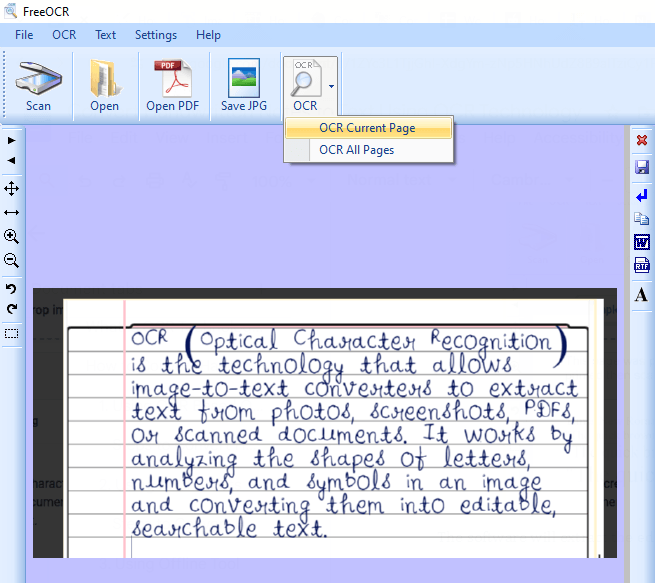
3rd Step: After opening the image in FreeOCR, hit the “OCR” button, and you’ll see a drop-down menu. Press the “OCR Current Page” option.
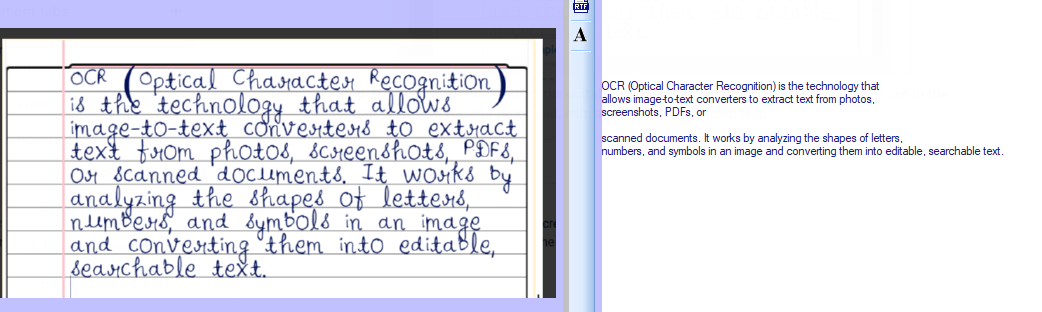
Step 4: The software will extract the editable text from the image within seconds, which will appear in the output box. Now, you can proofread, edit, and copy the extracted text.
Final Thoughts
OCR technology has made it quick and simple to convert handwritten notes into digital text. Instead of manual typing, now you can use online image-to-text converters, Google Lens, or OCR-based offline software to extract editable text from images of your handwritten notes.
Among the methods mentioned above, the OCR image-to-text converter is the most common and efficient. So, if you want fast, accurate, and well-formatted text, an image to text converter is the best choice.


